

When I first looked for an ergonomic keyboard, the existing products
on the market fit into two major categories:
Expensive mechanical keyboards – Well-built, but most have weird layouts I didn’t want. The few with normal layouts cost a lot (like the UHK80 at $429) because of the mechanical keys. I don’t want mechanical keys though because they are noisy (I prefer scissor switches) so paying extra for them didn’t make sense.
Cheaper plastic keyboards – These cost less and have familiar layouts. I ended up buying a Kinesis Freestyle2 for $149. It had the features I wanted (split keyboard with tenting) but the design was lacking.
The more I used the Kinesis, the more I wanted a better keyboard that didn’t force me to buy mechanical switches. Today, I’ll show you the keyboard we’re building which improves upon this design.
Problems with the Kinesis
To understand why we built what we did, it’s easiest to show you through the problems in the Kinesis design:
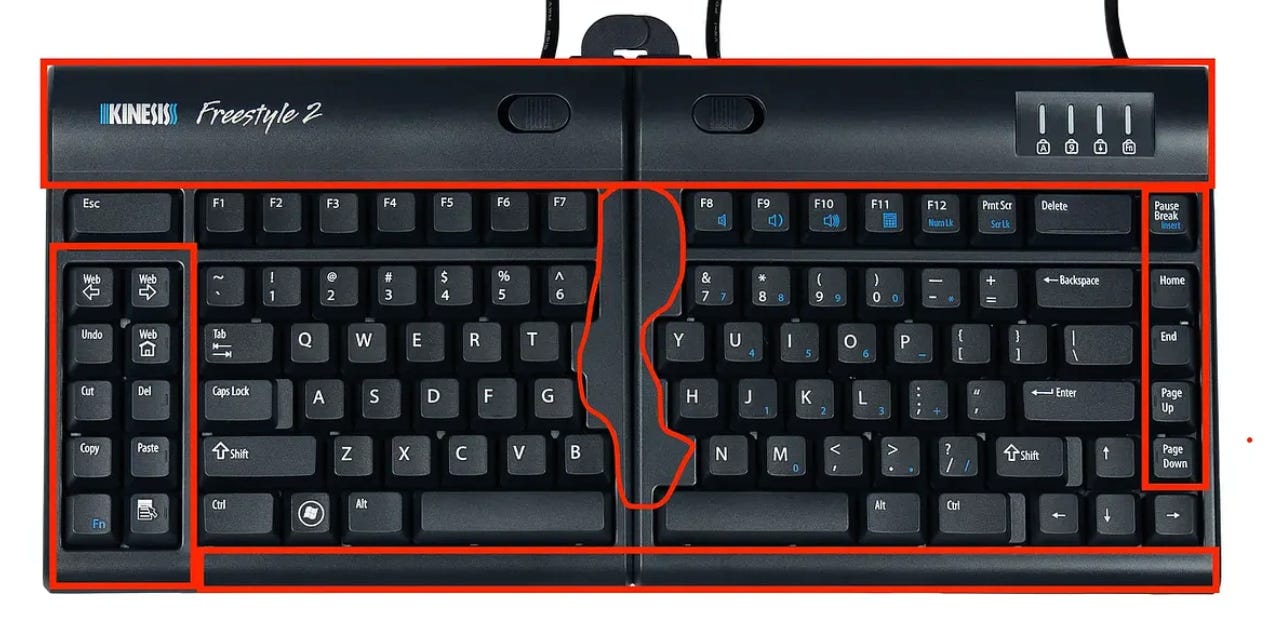
Tons of wasted space - There are large sections of exposed plastic on the front for no good reason. Also, there are many keys on this keyboard that I never use. Imagine how much cleaner this keyboard could be without all of the below red spots:
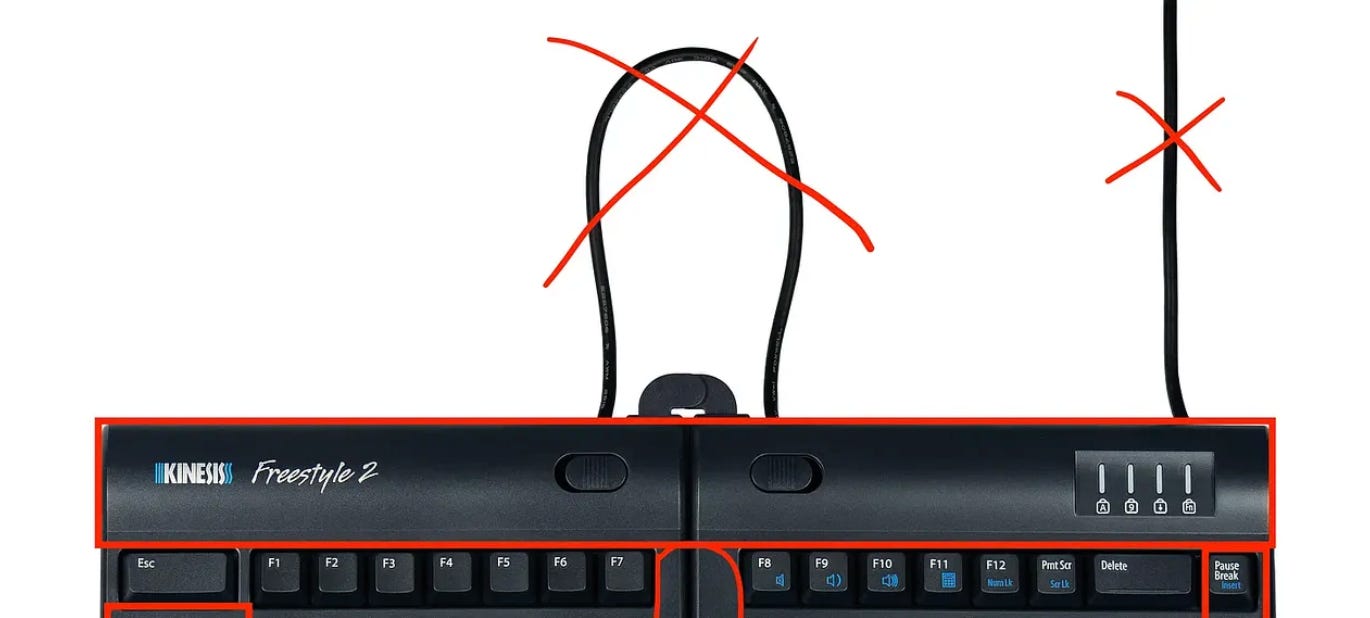
Wires add visual clutter and take up a USB port - Because this is a split keyboard, there is a wire between the two sides and one for the computer. Neither is necessary. Also modern devices have limited USB ports which makes plugging in a hassle.
All-plastic build – It looks and feels cheap.
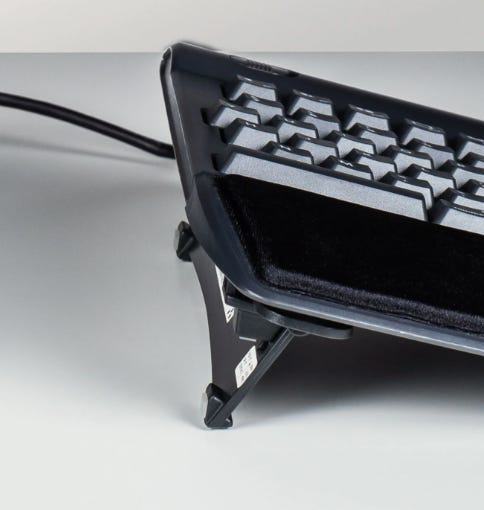
Bulky, plastic tenting legs – The legs are thick and not easy to collapse. This became painfully obvious to me when I tried to travel with my keyboard. Also, the keyboard is $100, but they charge $50 extra for those two pieces of plastic, which feels wrong.
Our design
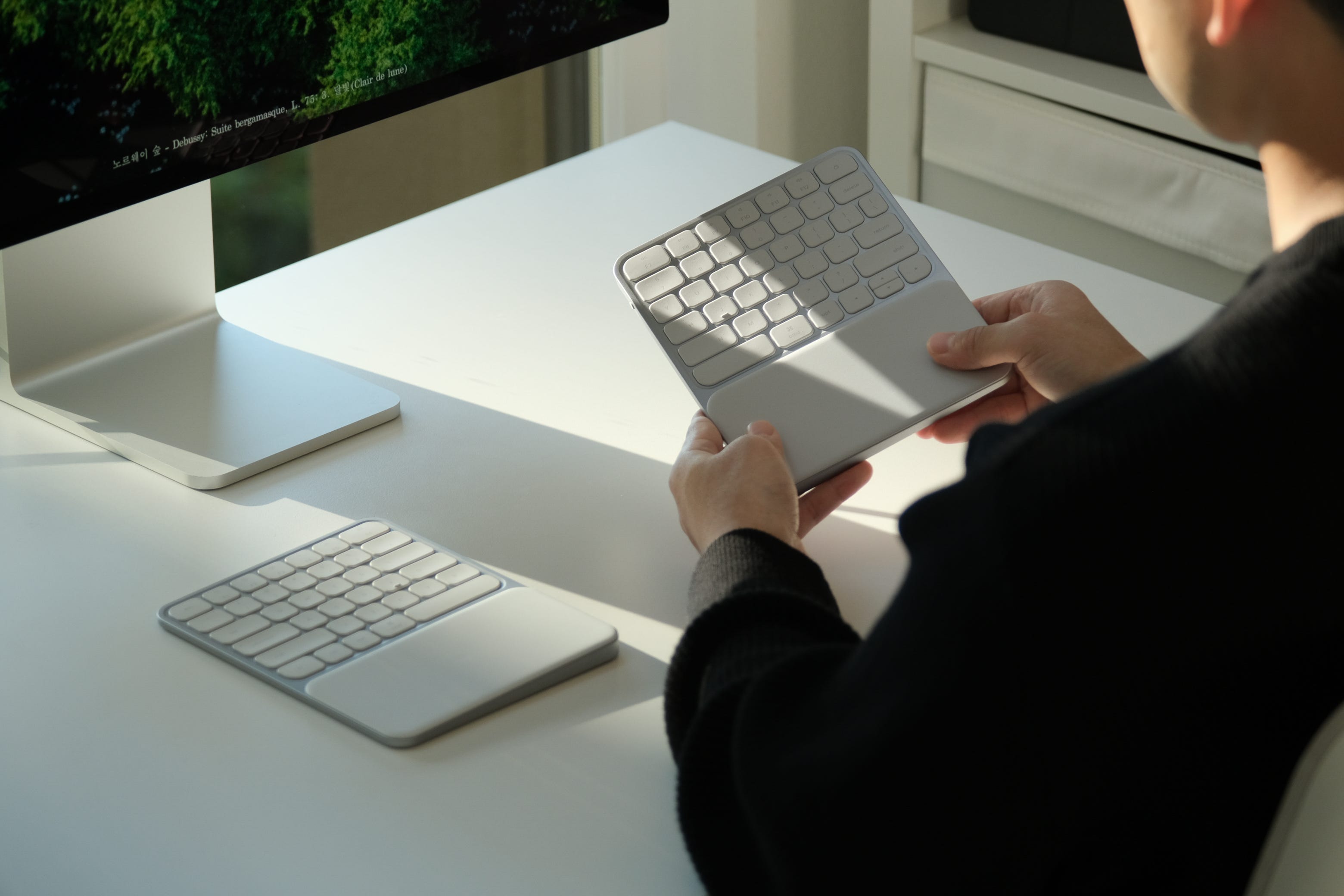
Everything you are about to see is a real picture that we took of the prototype we have built. Let me walk you through how we are solving all the problems above.
No wasted space and completely wireless - We slimmed down everything to just what you need. Keys are in familiar places so you won’t miss any keys. In fact, some keys are even easier to hit because we extended the ones along the edges. There are also no wires anywhere.
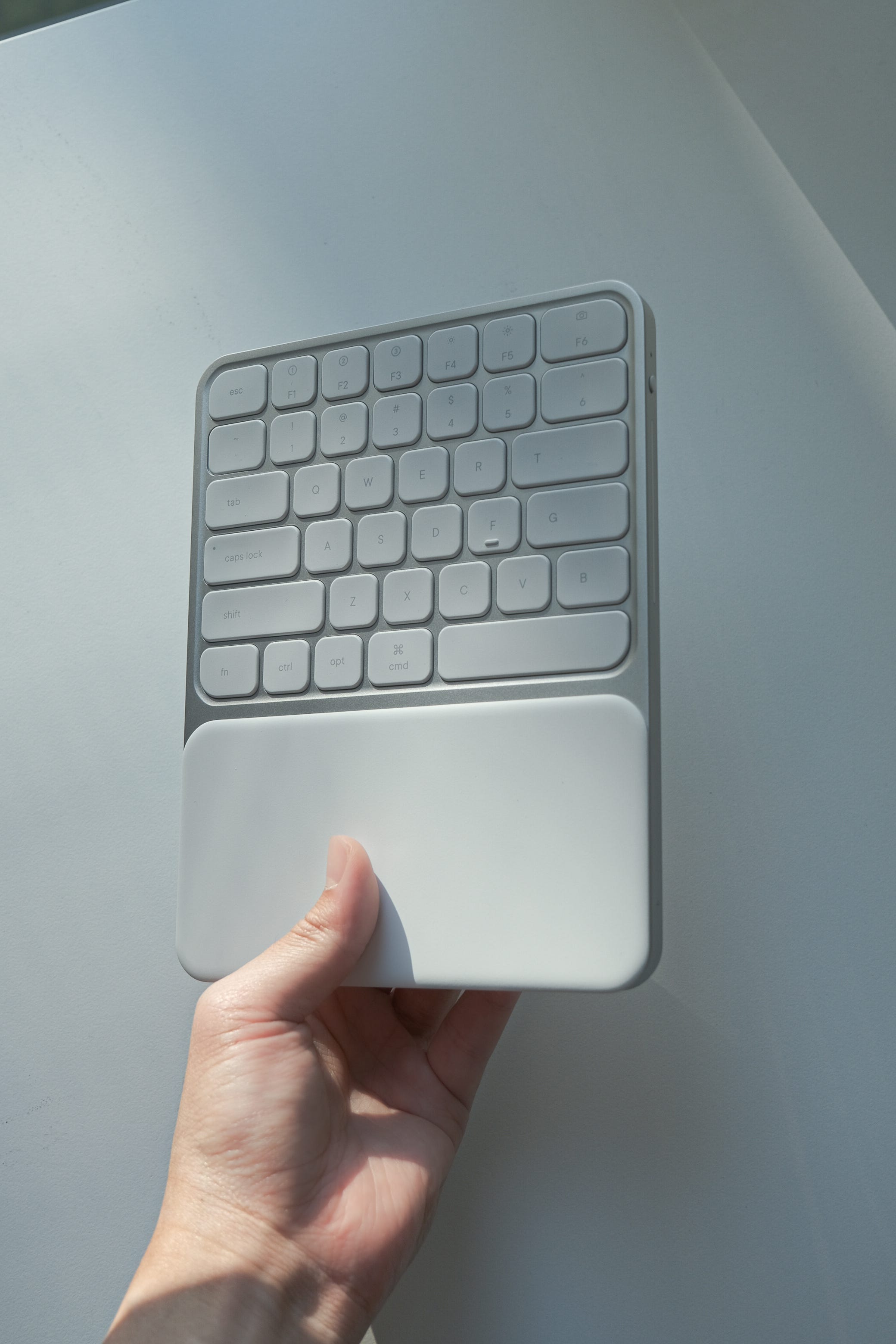
Premium aluminum build - I knew I wanted this but I didn’t realize how much better it’d be until I held it in my hands. It feels sturdy and has a satisfying weight to it. I love how it looks too.
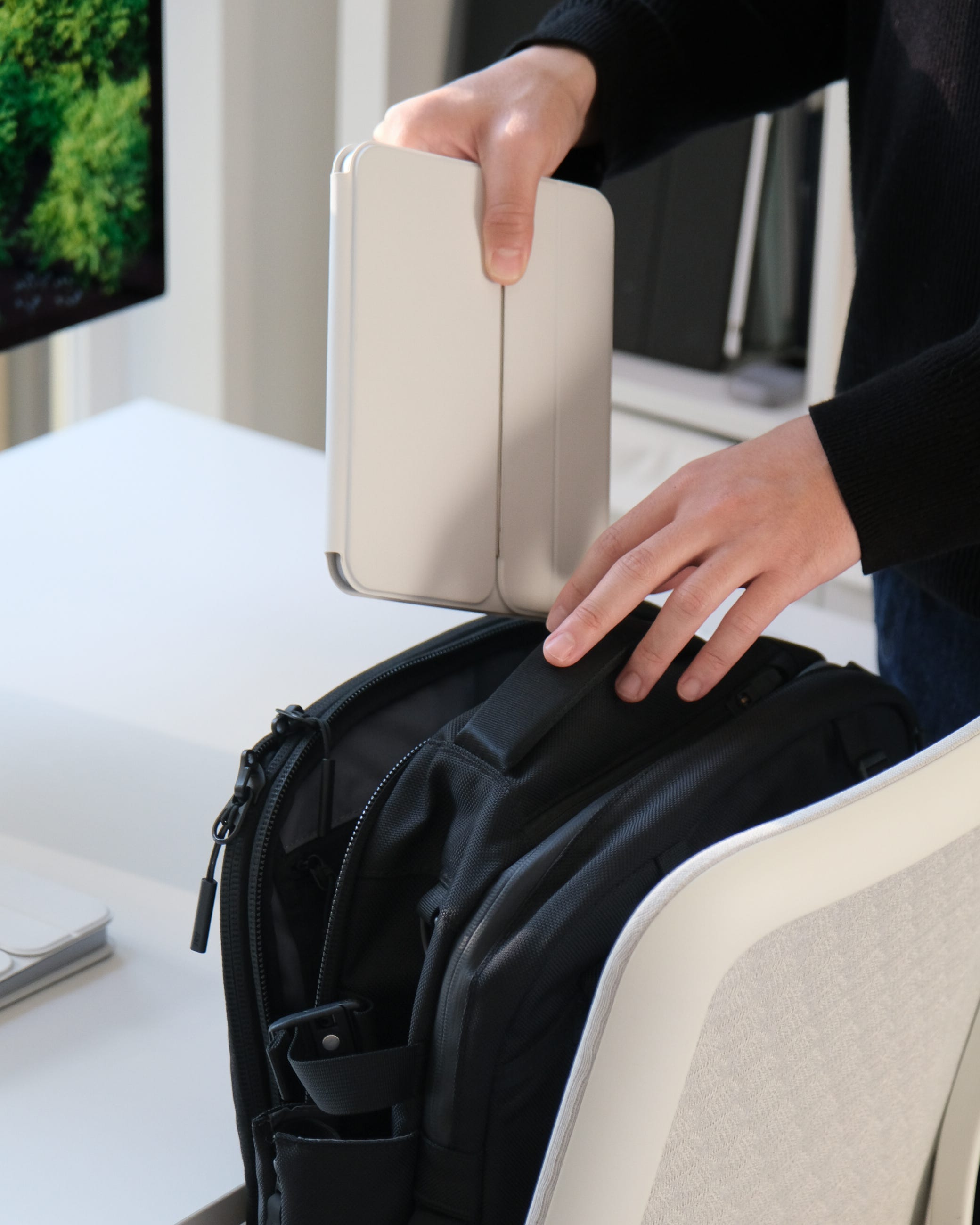
Novel, collapsable tenting mechanism - This one I have to give credit to our industrial designer for. While we were brainstorming how to make the legs collapsable he came up with this brilliant idea for a slim tenting mechanism that doubles as a folding case:
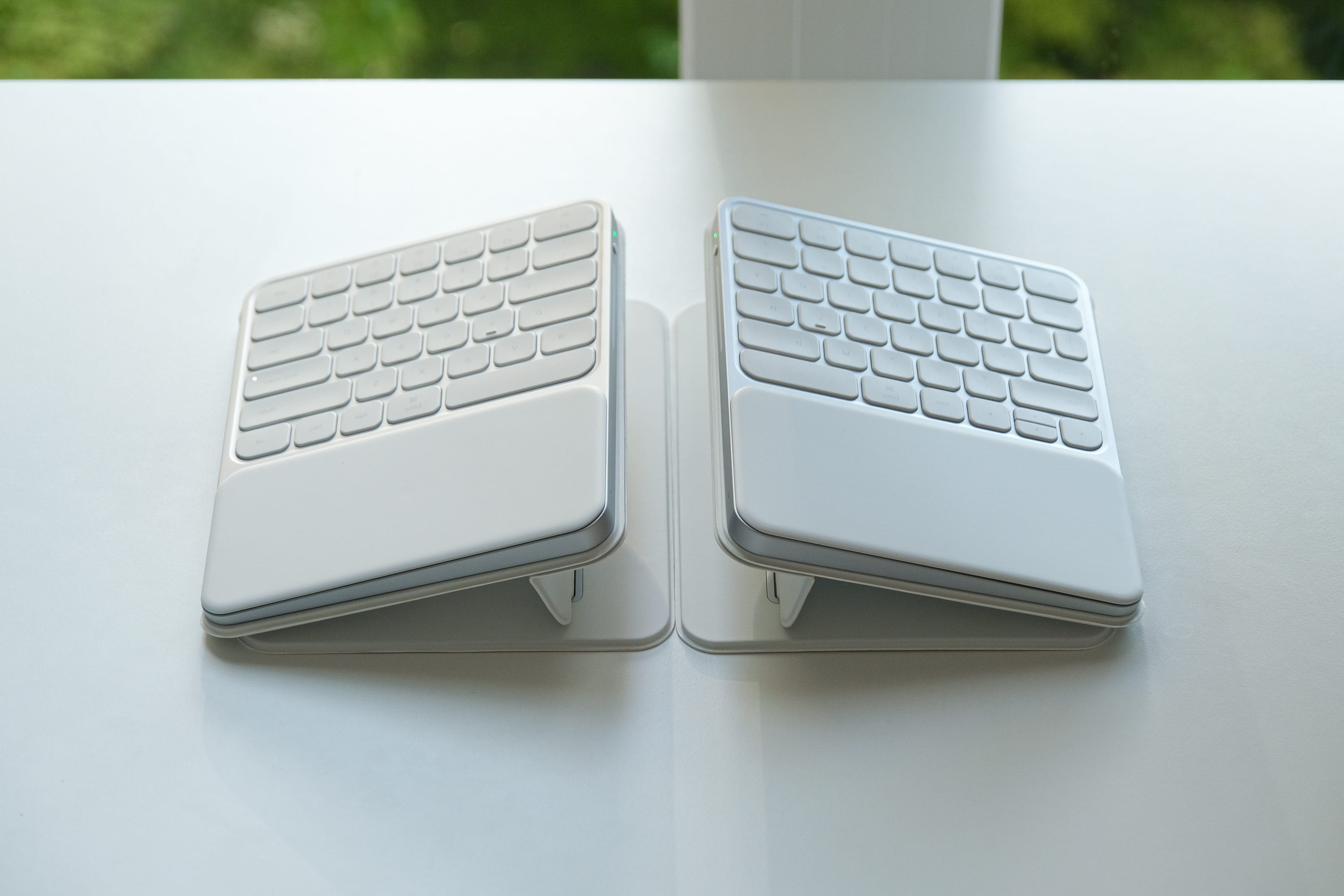
It’s tenting or a protective case on demand all while preserving the ultra, low-profile design:
If you’re interested in this keyboard, we’d love your support. The design is done, and we’ve already built the prototype you see above with a manufacturer.
The next step is funding the initial tooling investment needed to make the first batch of keyboards. We’ll do that on Kickstarter, and your orders there will help make it real.
If you join the email list here, you’ll be the first to know when the Kickstarter goes live and can grab one of the limited “early-bird” discounts we’ll list for early supporters.
Thanks for reading,
Ryan Peterman
I’m in the market now! Excited about this. Data person request: separate matching numpad.
Is that a working prototype? I'd be interested in seeing and hearing it in action.