

I want this keyboard to be one that I love using every day. That means getting all the subtle details right to elevate the experience.
We went the extra mile everywhere we could to make something we are proud of. Here are some of the more notable improvements.
1) Removable magnetic palm pads
In my experience, palm pads often get gross and worn fast. For instance, here’s a picture of the palm pads on my Kinesis Freestyle2:
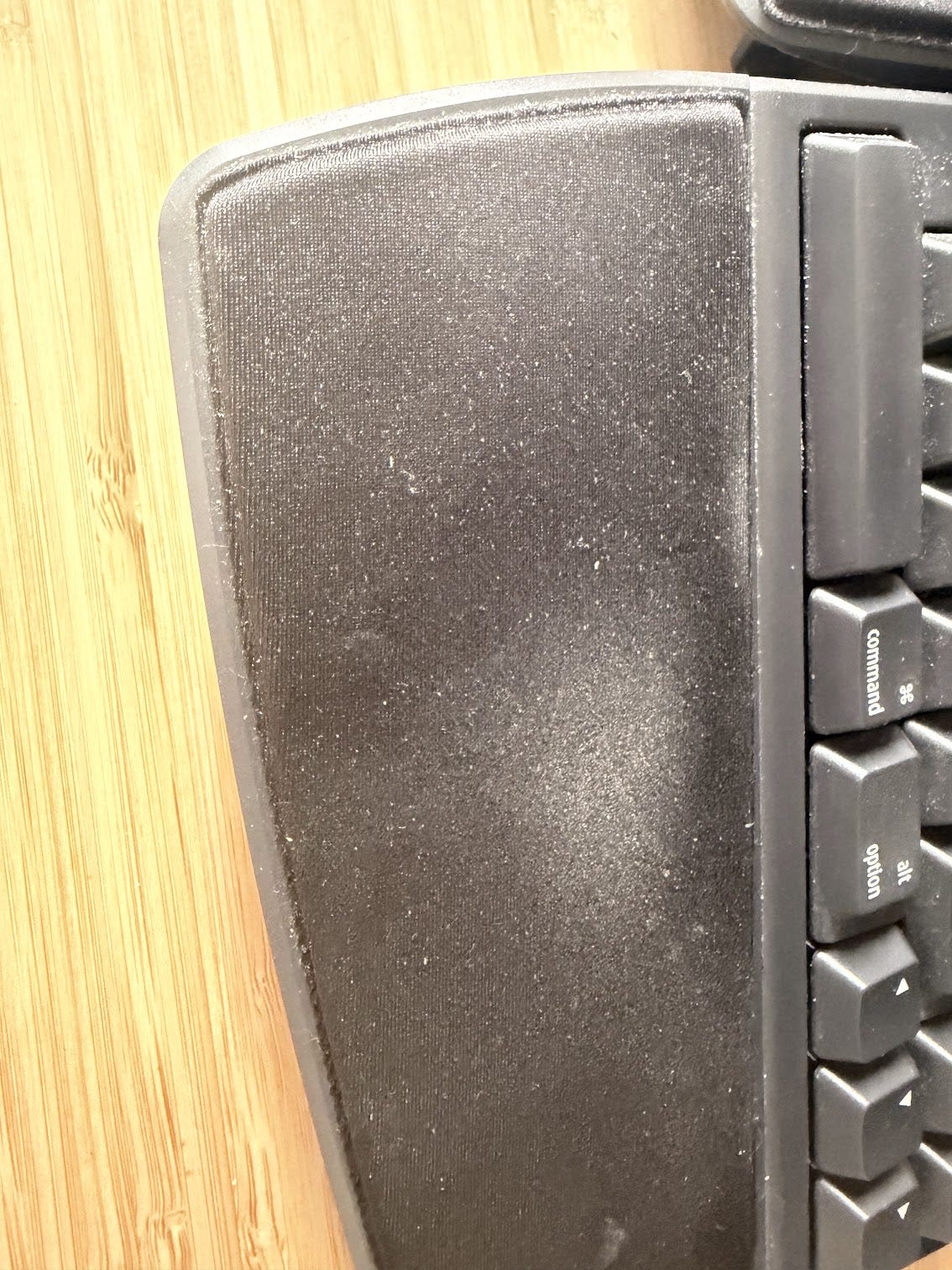
There’s some build up that’s difficult to clean because the palm pad is made of a porous material. They’re also glued on so it’s not easy to remove:
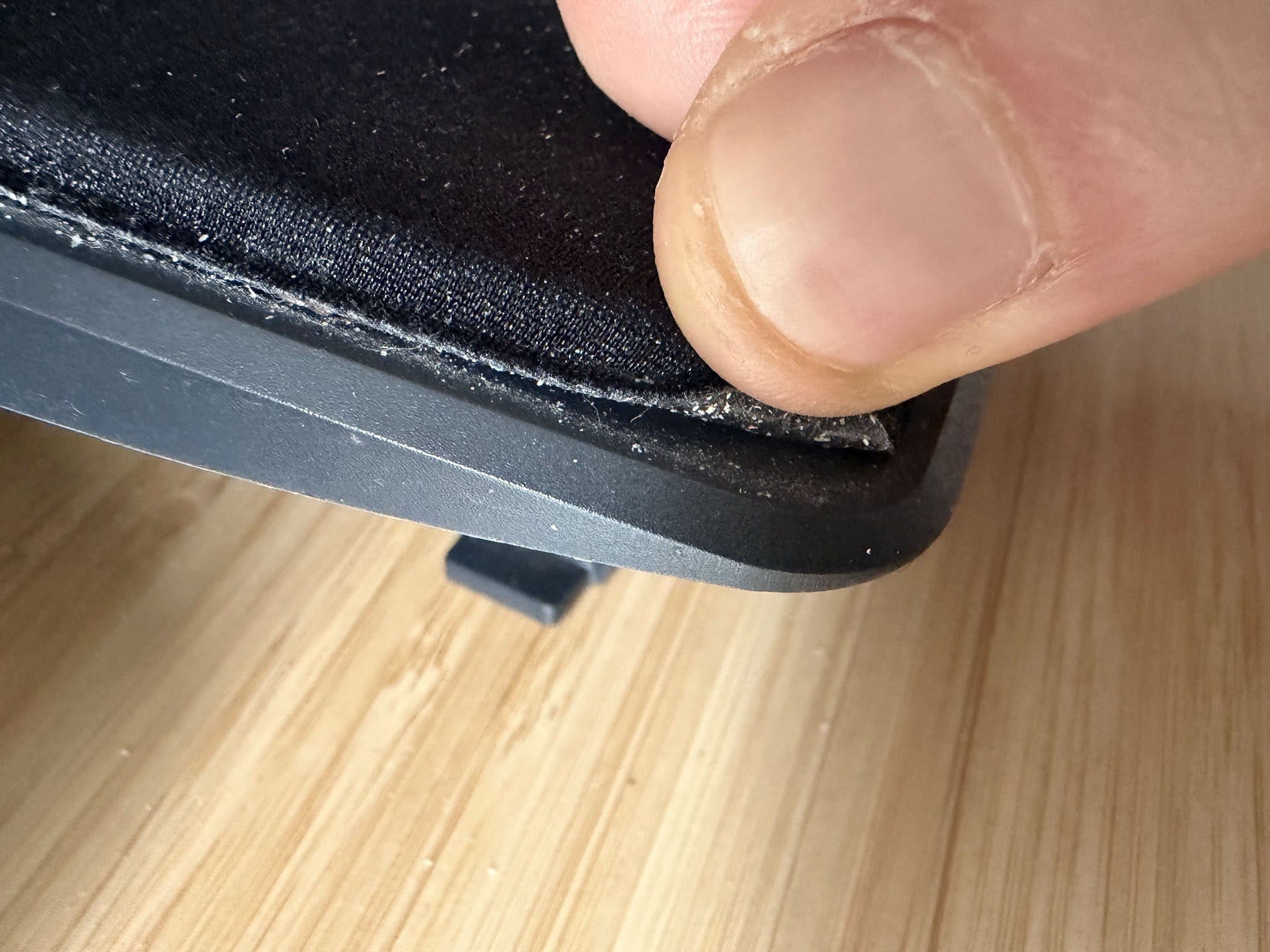
Our solution was to make the palm pad magnetic and removable so it’s easy to replace. We made the palm pads flush with the edges too so your palm won’t touch the aluminum. Here’s a video of our prototype to demonstrate:
2) Battery optimization
The less you need to charge the keyboard the better. Ideally so infrequently that you don’t even think about it. To me that means at least 3 months of battery life for someone who uses it all day long, 7 days a week.
Our initial hardware had just under 3 months of battery life under heavy use. That’s passable but not great. We dug a little deeper and found a way to operate the power intensive parts of our hardware at a lower voltage.
This change extended our estimated battery life by ~68%. This should get us over 5 months of battery life out of a single charge.
3) Extended edge keys
One of our primary design objectives with this keyboard is that you shouldn’t need to learn how to use it. So at minimum, every key should be exactly where you expect it. But we can do better than that.
With a split keyboard and standard layout, there’s a unique space in the center of the keyboard. Here’s an example of how the Kinesis handles that area:
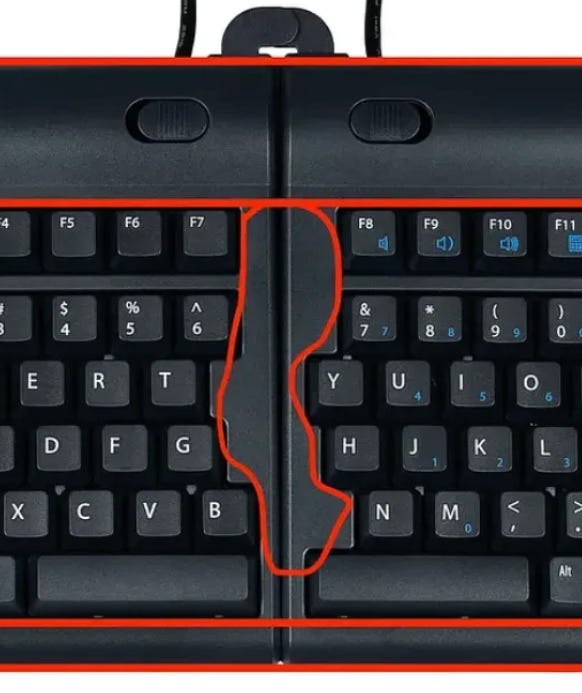
I personally think it looks bad, but also it’s not functional. That space could be used to increase your accuracy. If you miss towards the center you could still hit the keys.
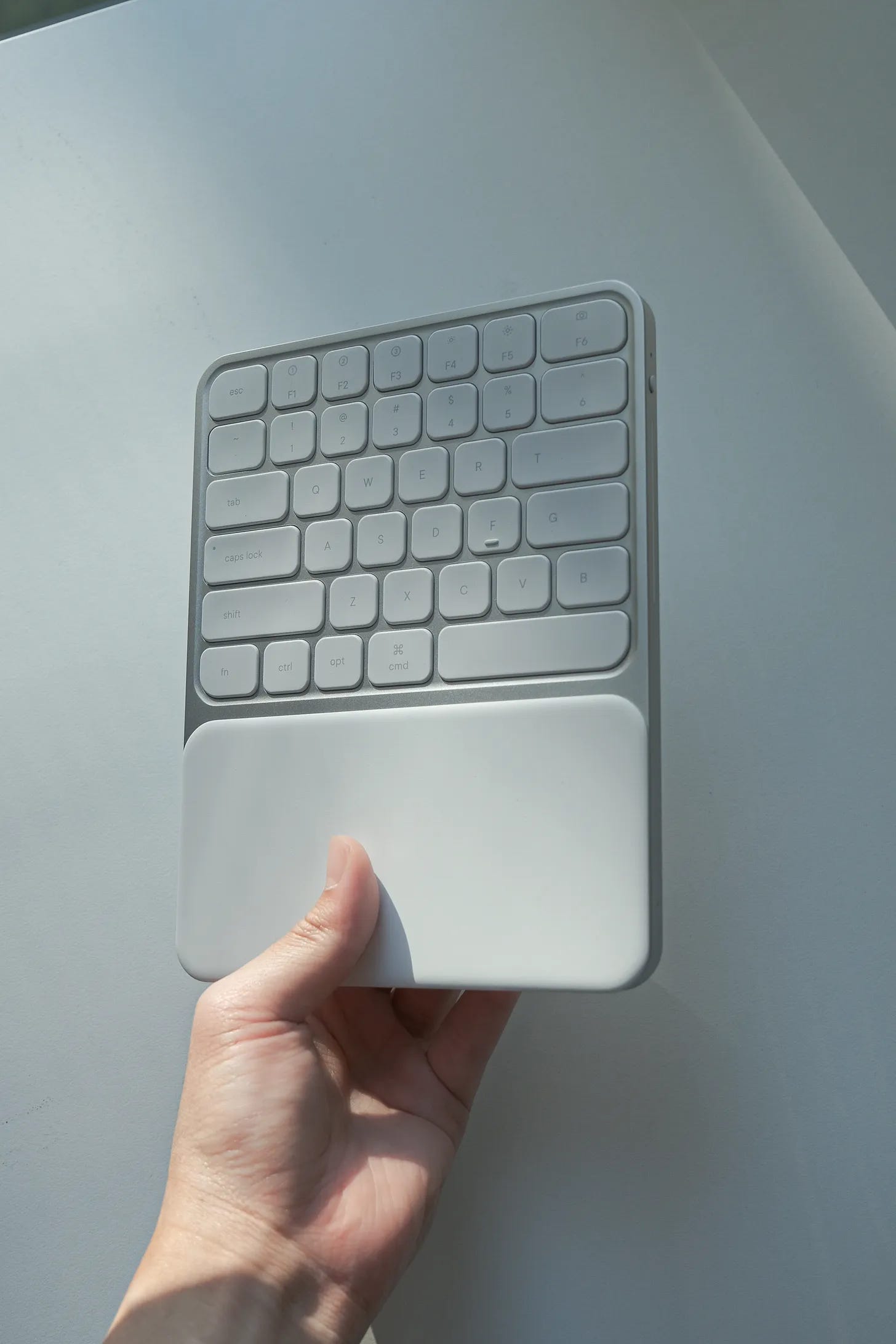
That’s why we lengthened the edge keys. This looks better and gives you more space to hit those keys all while leveraging your existing muscle memory:
4) No “ghosting” or “masking”
If you type quickly you may sometimes notice that cheap keyboards sometimes don’t register the key press. Here’s an example I kept encountering recently. I needed to type “ADE” because they were a guest’s initials on my podcast but “E” didn’t work, video of my Kinesis below:
What’s happening here is “masking”. Most keyboards are wired so that the keys share wires to conserve pins on the chip. If you press multiple keys fast enough, the chip can’t tell which keys you pressed without ambiguity. So the firmware will reject some key presses to avoid making the wrong guess.
If you want to test this out in real life, try pressing down 5+ keys on your keyboard. You’ll notice only a few of the key presses actually get sent to your computer.
We solved this problem by adding a little more circuitry so it’s impossible for an ambiguous key press. This also solves the problem of “ghosting” which is the opposite (a false positive instead of false negative).
These subtle improvements aren’t the type of thing you would notice in daily use. That is by design. If a product works well, you’ll enjoy the subtle benefits you aren’t even aware of.
In another post this week, I’ll break down how we’re thinking about pricing for the keyboard. Note that it will be certainly be cheaper than most of our higher-end competitors people are comparing us to:
NUIO /w stands = $597 (this cost doesn’t include palm pads which would add an extra $198)
Thanks for reading,
Ryan Peterman
One thing that I think can be considered is to add a second B key to the right half of the keyboard (left of the N key). Reason being that the B key is in the exact middle on a traditional qwerty layout, despite touch typing convention assigning it to your left hand. Could help with the learnability of the keyboard! This is also done in the Alice split layout.
I’m eagerly waiting for this. As a keyboard aficionado, this excites me!